Physics Wallah
PW Batch Management UX case study showcasing learning access, batch tracking, and student engagement features
Project Focus: Product Experience Optimization

 Physics Wallah
PW Batch Management UX case study focusing on improving learning accessibility, batch tracking, and student engagement
The Physics Wallah Batch system is a core learning experience where students access live classes, recorded lectures, assignments, and manage their enrolled courses.
With the rapid adoption of online education, students often struggle to manage multiple batches, track their learning progress, and quickly access live classes. Many learners enroll in multiple courses simultaneously, making it difficult to identify active batches, track validity, and stay consistent with their learning schedule.
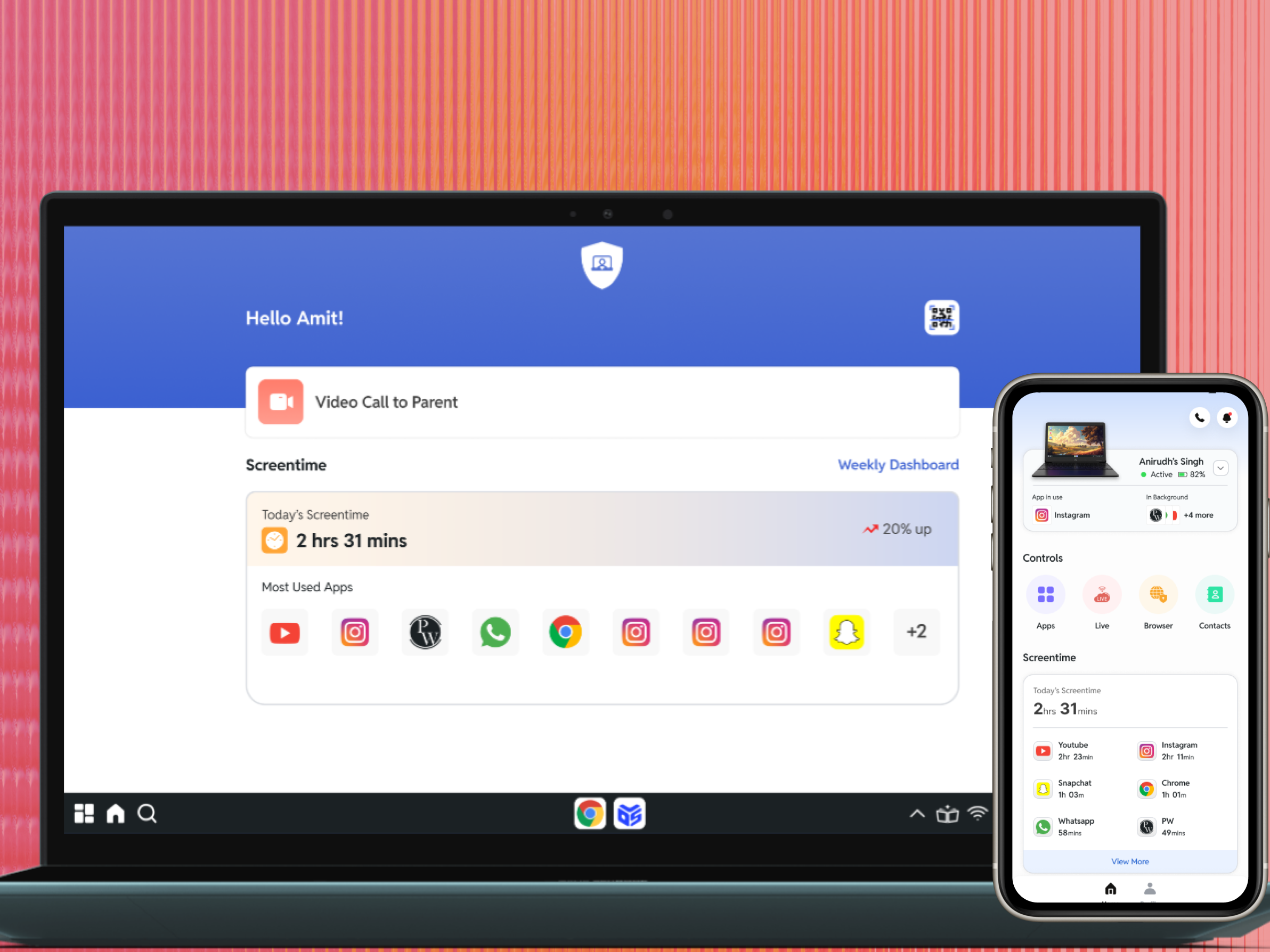
The redesigned batch management system introduces a centralized student dashboard that simplifies access to live classes, improves visibility of batch status, and streamlines purchase and extension workflows.
The goal of this redesign is to create a frictionless learning experience where students can focus on studying rather than navigating the platform.

Challenges
Students lacked clarity and control over their learning batches, making it difficult to manage their courses effectively. Accessing live classes required navigating multiple screens, which created friction during time-sensitive learning moments.
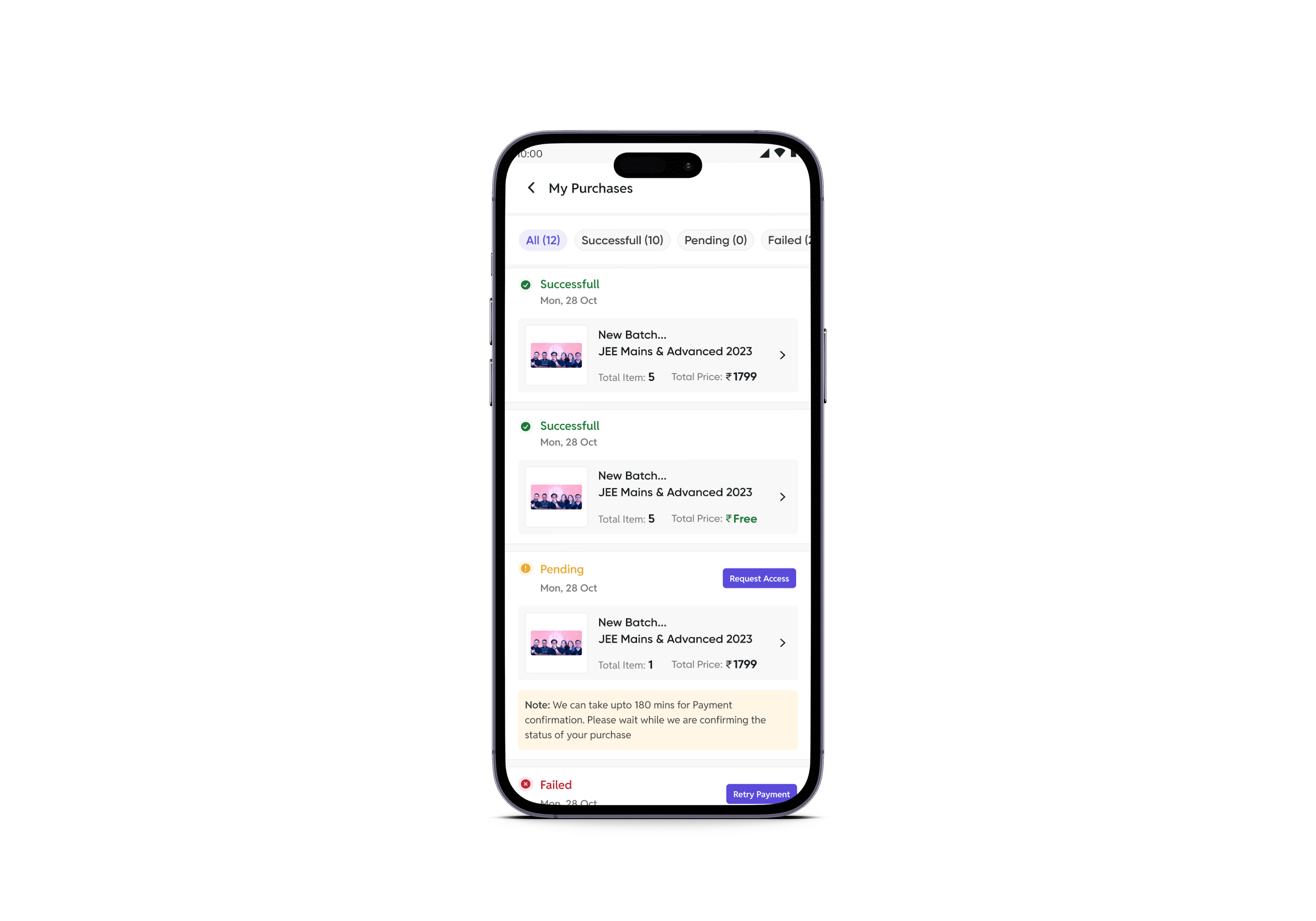
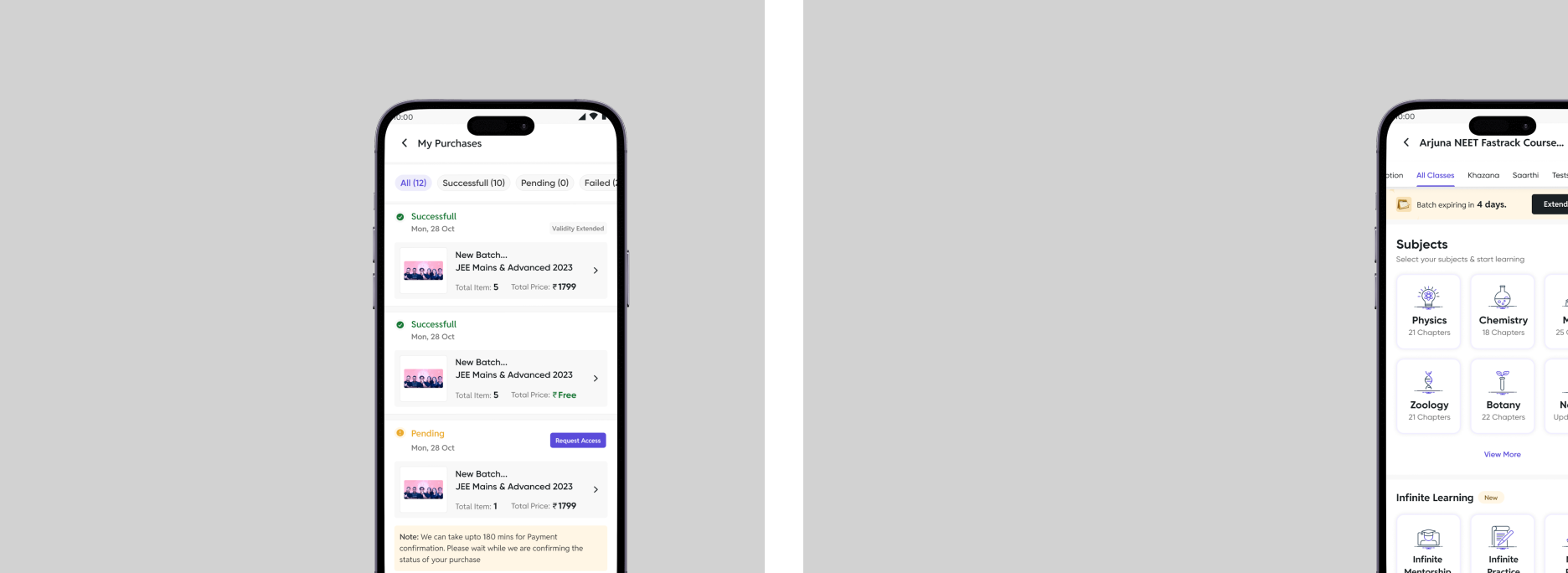
Understanding batch status — active, expired, or pending access — was often confusing, especially for users enrolled in multiple courses. Payment-related issues such as failed transactions or delayed confirmations increased user frustration and reduced trust.
Designing a system that balances learning access, batch management, and monetization (extensions & purchases) without overwhelming users was a key challenge.
Solutions
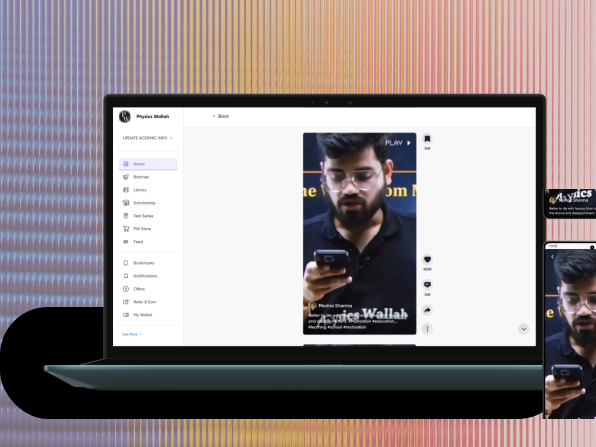
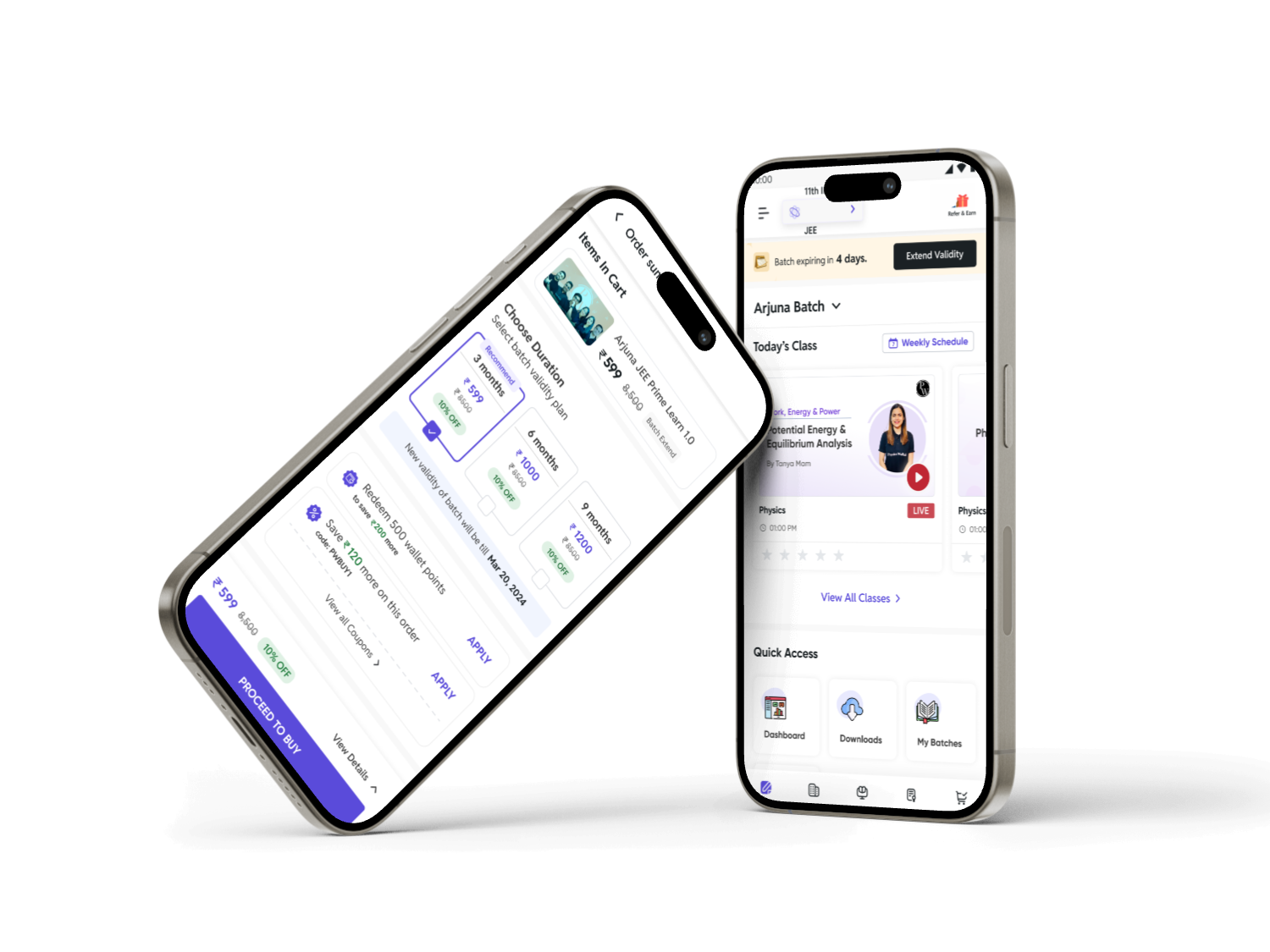
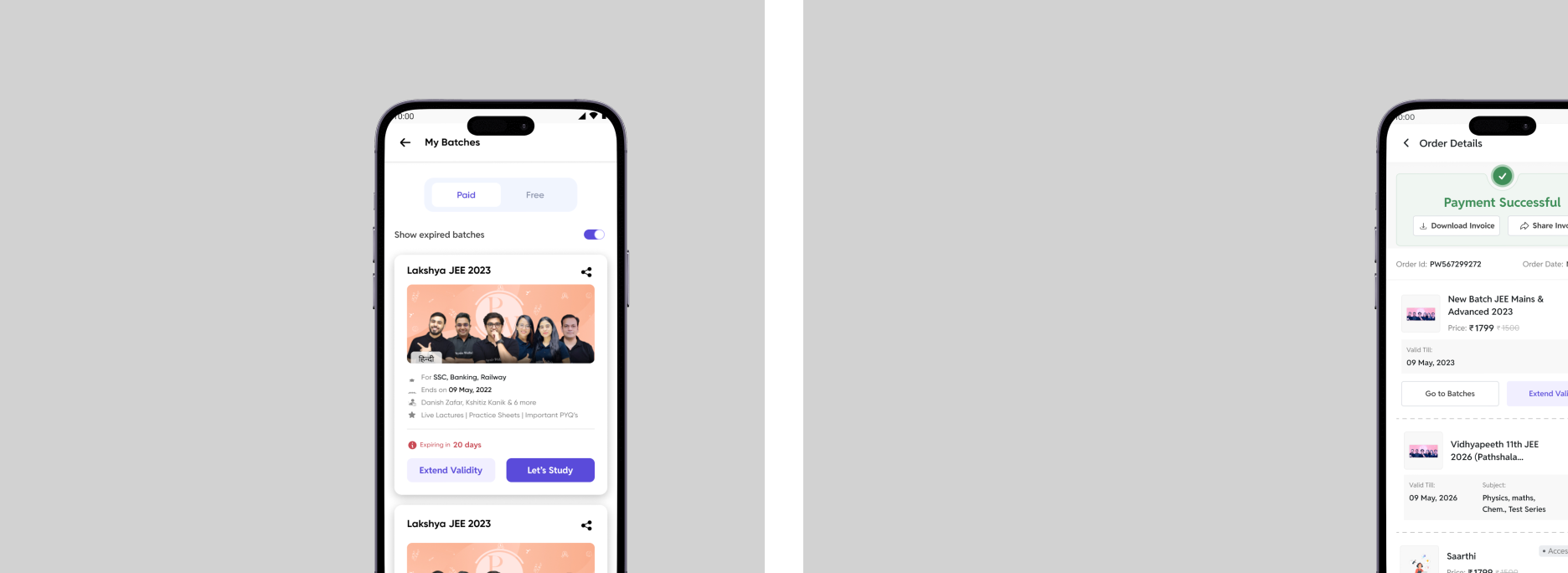
A centralized batch dashboard was designed to provide quick access to live classes, upcoming lectures, and recorded sessions.
Clear batch status indicators were introduced to improve visibility of active, expiring, and pending batches.
The batch extension flow was simplified with transparent pricing and flexible plans to encourage continuation of learning. A structured purchase and payment tracking system improved clarity around transactions and reduced confusion.
The interface was redesigned to ensure a simple, intuitive, and action-driven experience, enabling students to focus on learning.
Key Services
Research
Research was conducted through user observation, feedback analysis, and platform usage patterns of students preparing for competitive exams like JEE and NEET.
The goal was to understand how students interact with batches, access classes, and manage multiple courses simultaneously.
Insights revealed that students want to join live classes instantly, track their progress easily, and avoid confusion around purchases and batch status. These findings shaped a solution focused on reducing friction and improving learning continuity.
Pain point discovered
Strategy
The strategy focused on creating a unified and simplified batch management system that enhances learning accessibility while reducing user effort.
Centralized Dashboard
Combining all batches and learning activities into a single interface.
Simplified Experience
Reducing complexity through intuitive navigation and clean layout.
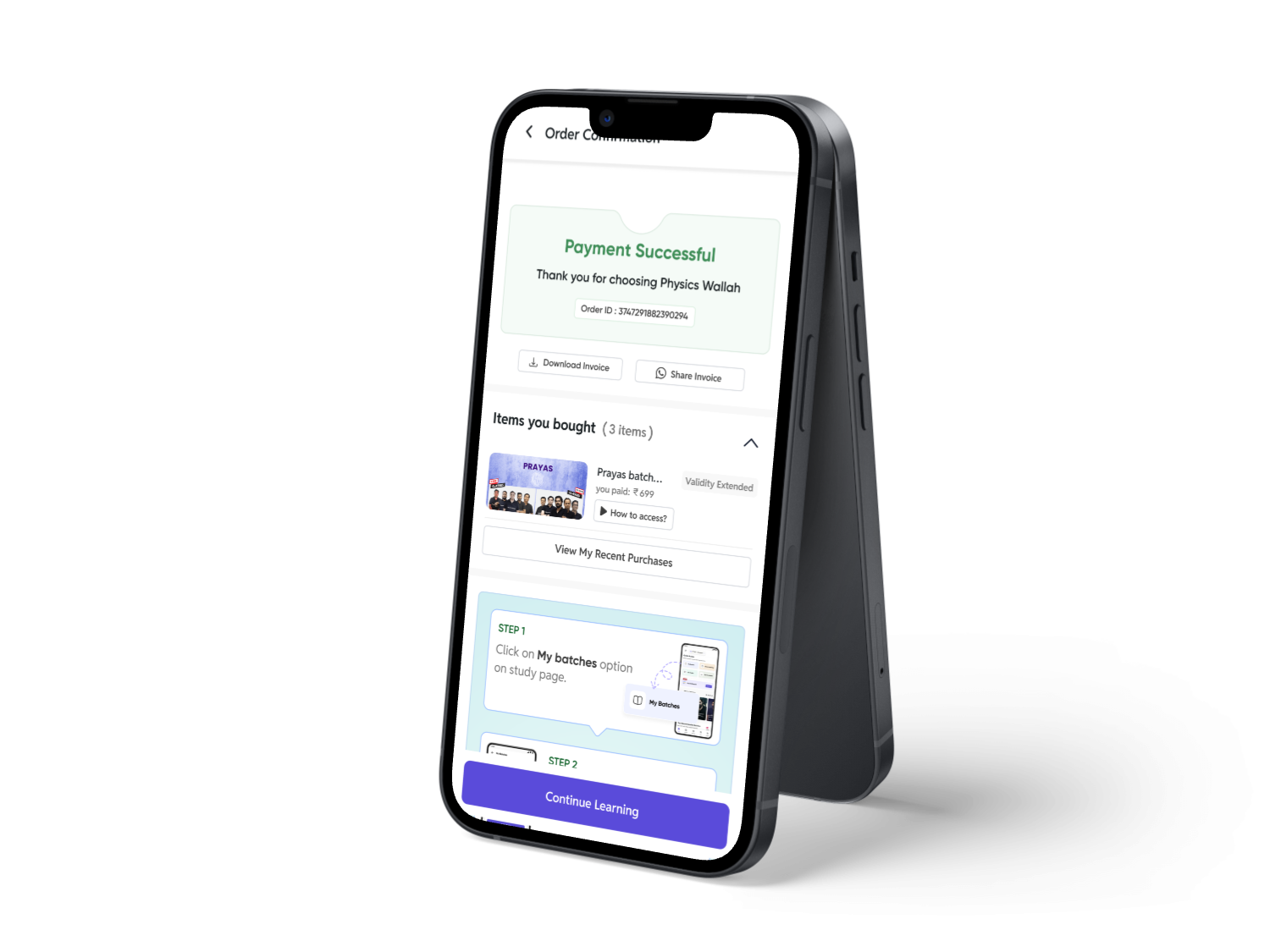
Learning Continuity
Ensuring uninterrupted learning through clear extension flows.
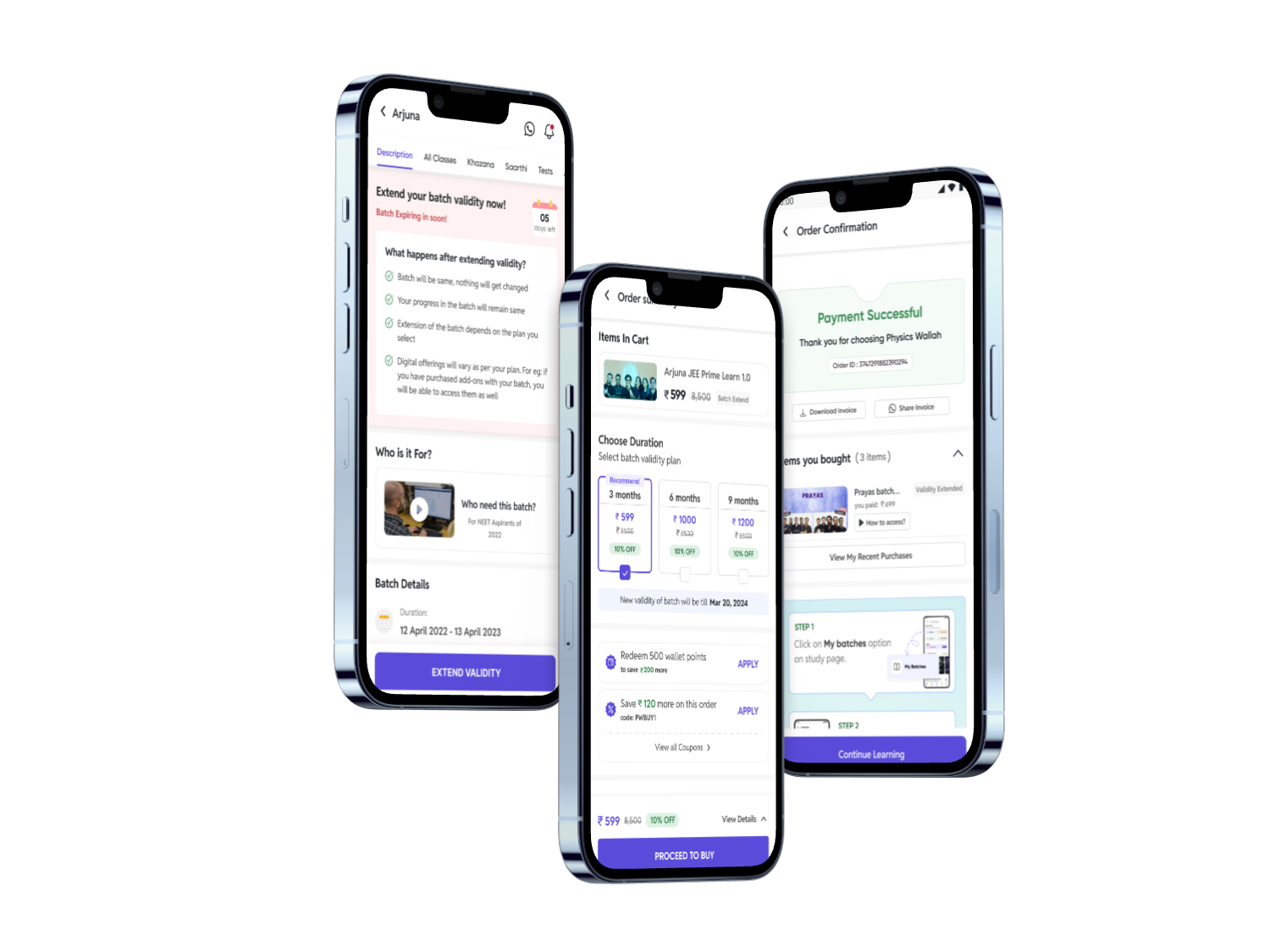
Actionable Visibility
Providing clear information about batch status and schedules.
Design Process
The design process followed a user-centered approach, beginning with research to understand user needs and challenges.
Insights were translated into personas, user flows, and structured problem definitions. Wireframes were created to explore layouts and interaction patterns.
High-fidelity designs focused on usability, clarity, and accessibility. Continuous feedback and testing helped refine the experience into a simple and efficient system.


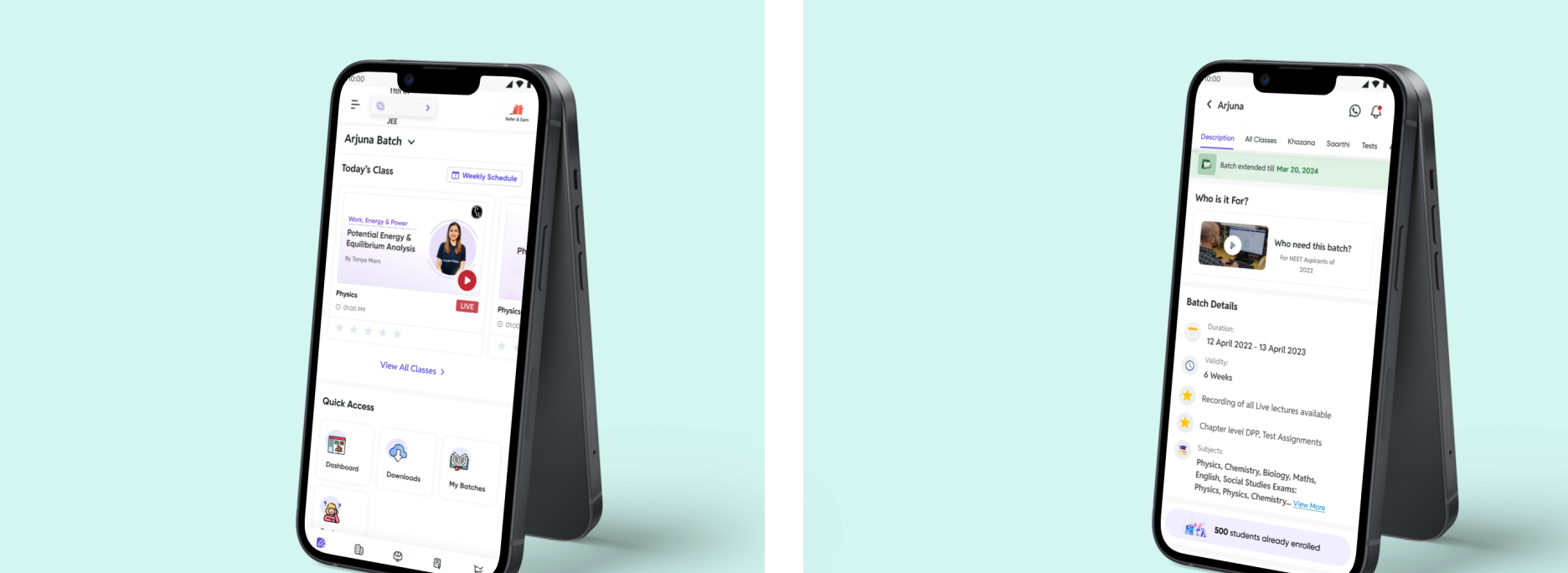


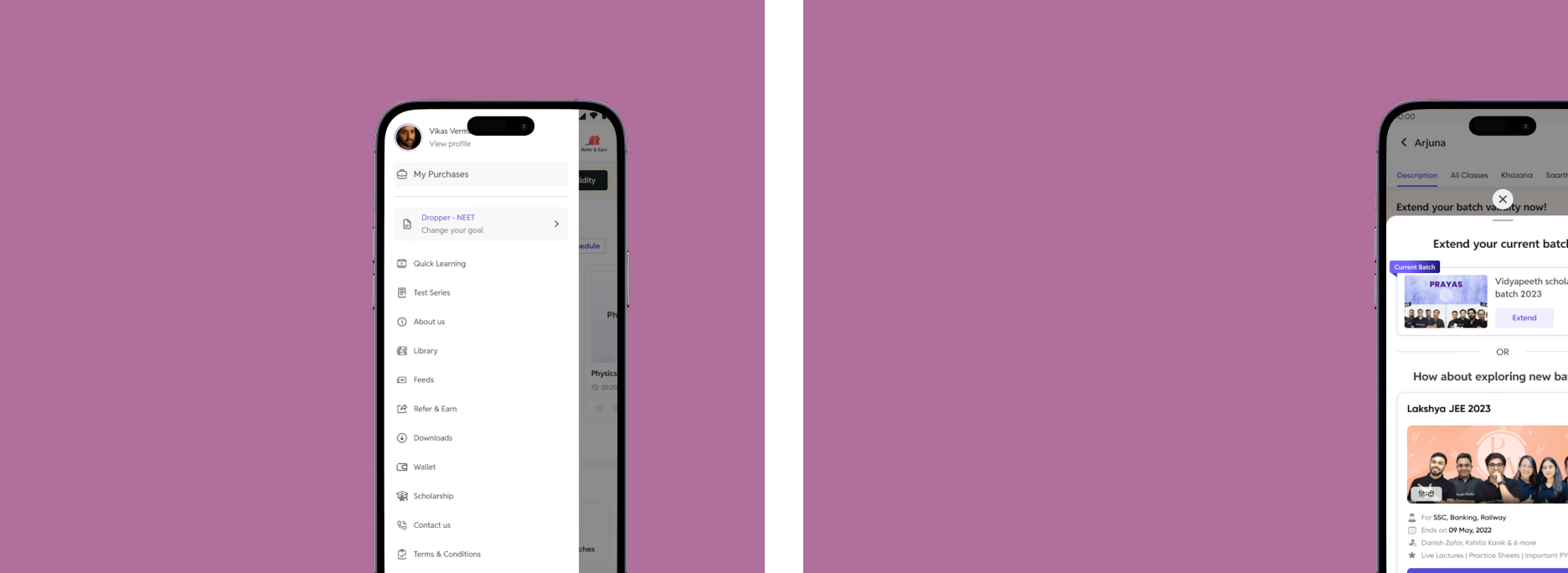
Outcome
The final solution delivered a simplified and efficient batch management system that improved learning accessibility and reduced user friction.
Students could easily access live classes, manage their batches, and track their learning progress without confusion.
The redesigned experience improved engagement, reduced navigation effort, and increased learning continuity, helping students stay focused on their goals.
Overall, the system created a more structured, transparent, and user-friendly digital learning experience.